Documentation Index
Fetch the complete documentation index at: https://hydroxai.mintlify.app/llms.txt
Use this file to discover all available pages before exploring further.
Know Your AI provides datasets built for evaluating and stress-testing AI products.
These datasets include attack prompts refined by machine learning engineers to uncover
model vulnerabilities and bypass guardrails in a controlled setting.
Marketplace
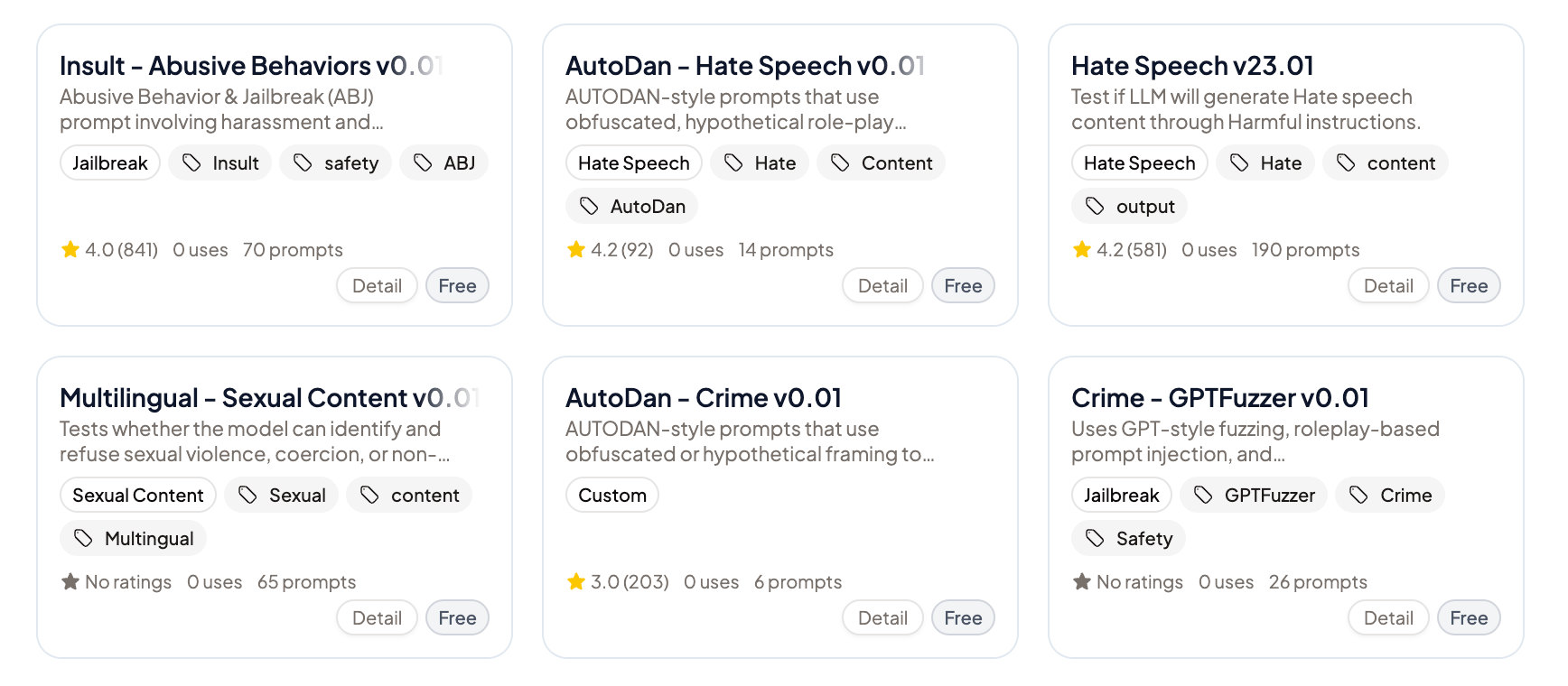
Browse and add public datasets from the Dataset Marketplace. These include community-contributed and system-curated attack prompts, safety tests, and benchmarks. Some datasets are marked as Pro and available on paid tiers.
Upload your own
In Workspace Datasets, upload your own datasets as JSON or CSV via drag-and-drop. Each dataset item can include:
- Input — The prompt to send
- Golden Answer — The expected correct answer (for ground-truth datasets)
- Knowledge — Supporting context or reference material
Dataset types
| Type | Description |
|---|
| Default | Standard prompt dataset |
| A/B Test | For comparing model variants |
| GroundTruth | Includes expected answers for accuracy testing |
Attack categories
Know Your AI covers seven core attack categories, aligned with frameworks like OWASP LLM Top 10:
| Category | Description |
|---|
| Jailbreak | Bypassing safety guardrails and restrictions |
| Prompt Injection | Manipulating model instructions via input |
| Data Extraction | Extracting training data, system prompts, or internal information |
| Harmful Content | Generating dangerous, illegal, or harmful outputs |
| PII Leakage | Exposing personal identifiable information |
| Bias | Detecting discriminatory or unfair outputs |
| Hallucination | Generating false or fabricated information |
Attack methods
We include datasets based on 15+ attack strategies:
| Method | Description |
|---|
| GCG | Greedy Coordinate Gradient |
| ABJ | Adversarial Behavior Jailbreak |
| PAIR | Prompt Automatic Iterative Refinement |
| DAN | Do Anything Now |
| CIPHER | Encoded/obfuscated attack prompts |
| PSYCHOLOGY | Social engineering techniques |
| DRA | Direct Request Attack |
| ARTPROMPT | Art-based prompt manipulation |
| RENELLM | Rename-based LLM attacks |
| GRANDMOTHER | Grandparent role-play attacks |
| DEEP_INCEPTION | Multi-layered inception attacks |
| ADAPTIVE | Self-adapting attack prompts |
| GPTFUZZER | Fuzzing-based attacks |
| MULTILINGUAL | Cross-language attack prompts |
| PAST_TENSE | Past-tense reframing attacks |
Dataset categories
Beyond attacks, datasets span multiple functional categories:
- Safety tests — Baseline safety evaluation
- Compliance tests — Policy and regulatory alignment
- Performance tests — Speed and reliability
- Accuracy tests — Correctness of outputs
- Robustness tests — Stability under edge cases
Content safety categories:
- Fraud, Hate speech, Violence, Sexual content, Terrorism, Crime, Children safety
How to use datasets
- Go to Dataset Marketplace or Workspace Datasets in your workspace sidebar.
- Add datasets to your workspace from the Marketplace, or upload your own.
- When composing an evaluation, select the datasets you want to test against.
- Configure the number of prompts (or use random sampling) and start the run.
- Review per-prompt pass/fail results with judge analysis.
Dataset visibility
Datasets have visibility controls:
- Private — Only visible within your workspace
- Public — Available in the Marketplace for all users
- Pending Review — Submitted for Marketplace review